Composable Dashboards
Composable Dashboards
Composable Dashboards
A dashboard system focused on usability, adaptability and clarity
A dashboard system focused on usability, adaptability and clarity
A dashboard system focused on usability, adaptability and clarity
Replaces rigid reporting with a modular, composable approach allowing users to collaborate & build dashboards around real business questions, organize insights & adapt their view of performance.
Replaces rigid reporting with a modular, composable approach allowing users to collaborate & build dashboards around real business questions, organize insights & adapt their view of performance.
Replaces rigid reporting with a modular, composable approach allowing users to collaborate & build dashboards around real business questions, organize insights & adapt their view of performance.
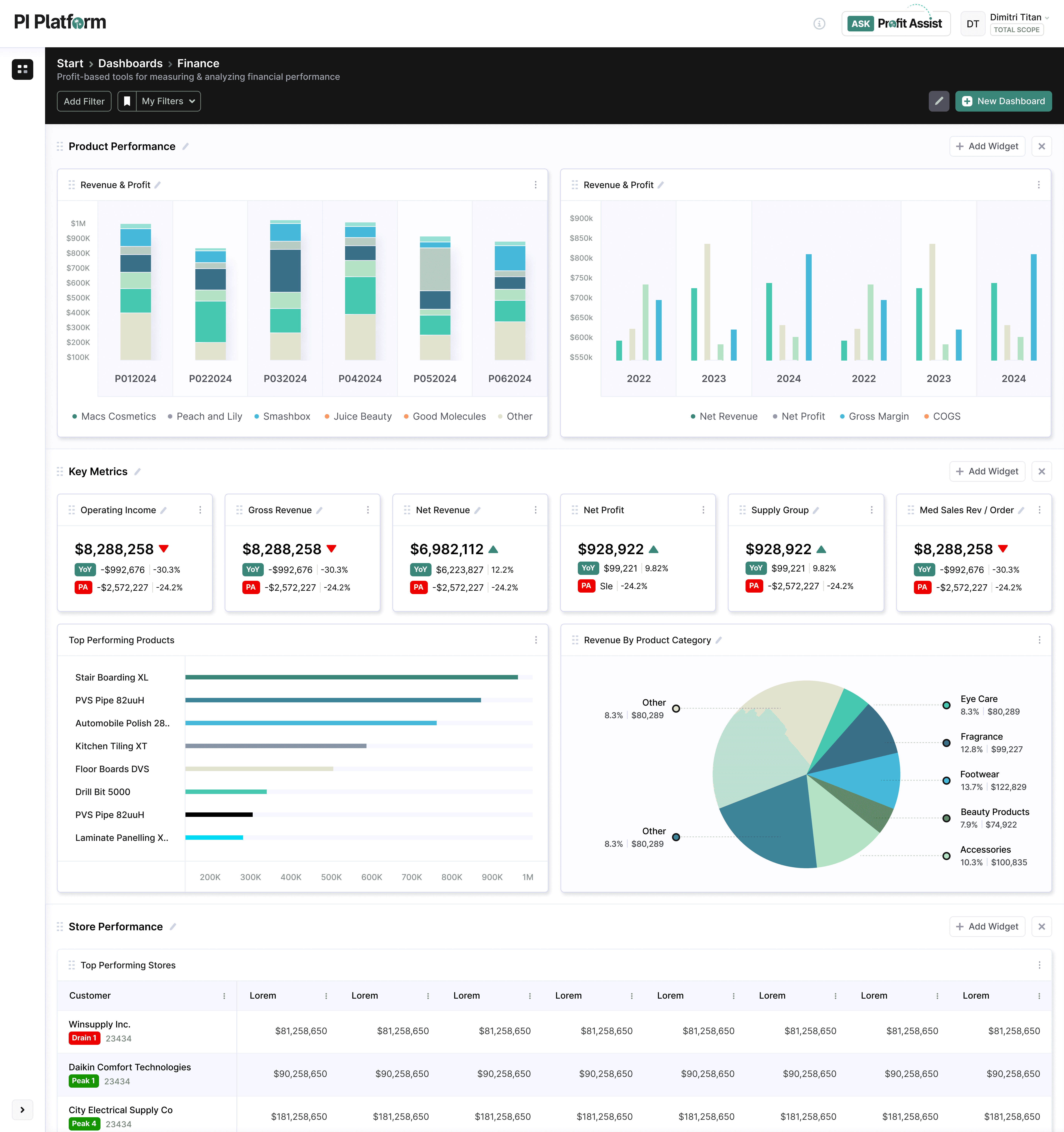
Modern finance teams don’t lack dashboards - they lack clarity, flexibility, and trust in numbers
Most tools force users into:
Rigid Templates
Static Reporting Views
Fragmented Collaboration
I led the design of a Modular Dashboard System that enables teams to:
Build dashboards from scratch
Configure and reorder insights dynamically
Visualize profitability with precision
Collaborate across finance and business teams
This work complements the Profit Intelligence platform, turning insight into something teams can actually use and act on.
Most tools force users into:
Rigid Templates
Static Reporting Views
Fragmented Collaboration
I led the design of a Modular Dashboard System that enables teams to:
Build dashboards from scratch
Configure and reorder insights dynamically
Visualize profitability with precision
Collaborate across finance and business teams
This work complements the Profit Intelligence platform, turning insight into something teams can actually use and act on.
Finance Teams Were Struggling with Three Core Issues:
Finance Teams Were Struggling with Three Core Issues:
Dashboards were far too rigid
Dashboards were far too rigid
Users couldn’t easily create or customize views based on evolving business questions.
Insight was disconnected
Insight was disconnected
Data lived in silos — dashboards didn’t reflect how teams actually think about profit.
Collaboration
was limited
Collaboration
was limited
Sharing insights required exporting, rebuilding, or explaining context manually.
Design a dashboard experience that:
Aligns with how finance teams analyze profitability at a transaction level
Introduces true collaboration across teams
Enables first-time users to create dashboards easily
Allows dynamic arrangement of insights
Supports deep customization without complexity
Aligns with how finance teams analyze profitability at a transaction level
Enables first-time users to create dashboards easily
Supports deep customization without complexity
Introduces true collaboration across teams
Allows dynamic arrangement of insights
Aligns with how finance teams analyze profitability at a transaction level
Supports deep customization without complexity
Allows dynamic arrangement of insights
Enables first-time users to create dashboards easily
Introduces true collaboration across teams
We introduced a flexible, modular dashboard system built around four core capabilities:
Guided dashboard creation
Guided dashboard creation
Widget-based composition
Widget-based composition
Collaborative sharing
Collaborative sharing
Guided dashboard creation
Collaborative sharing
Widget-based composition
This transforms dashboards from static reports into living analytical environments.
This transforms dashboards from static reports into living analytical environments.
Creating a Dashboard for the First Time
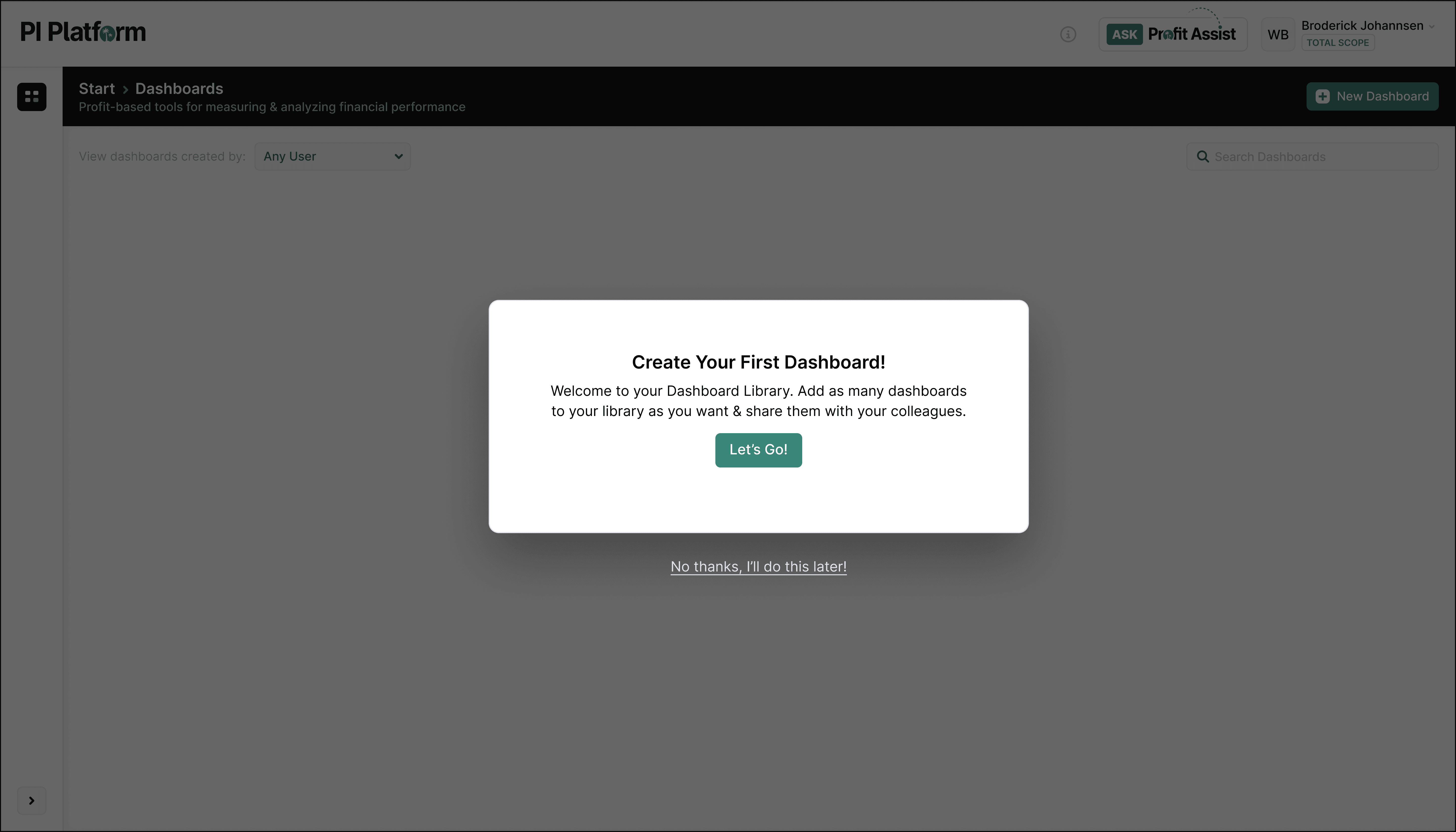
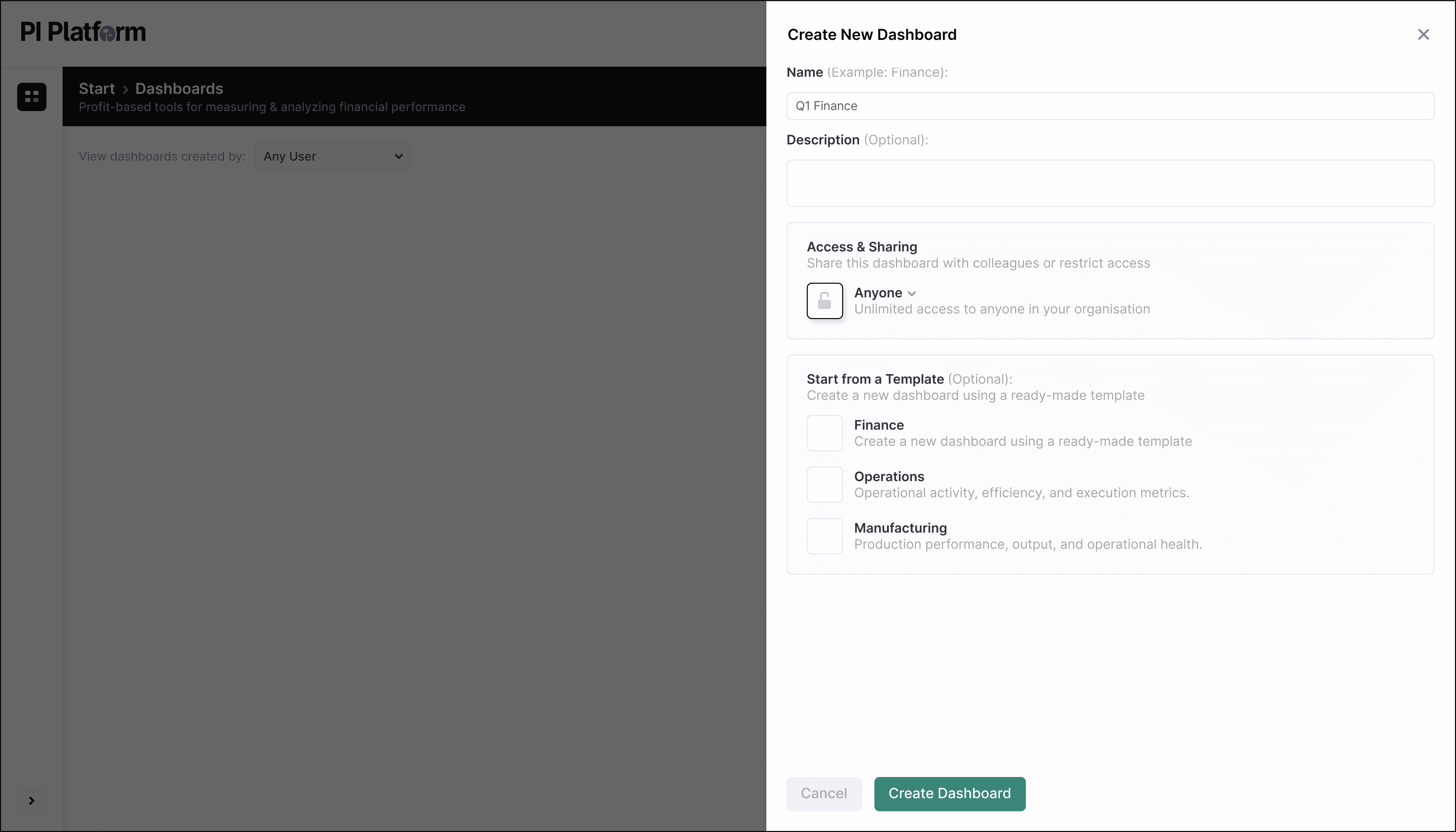
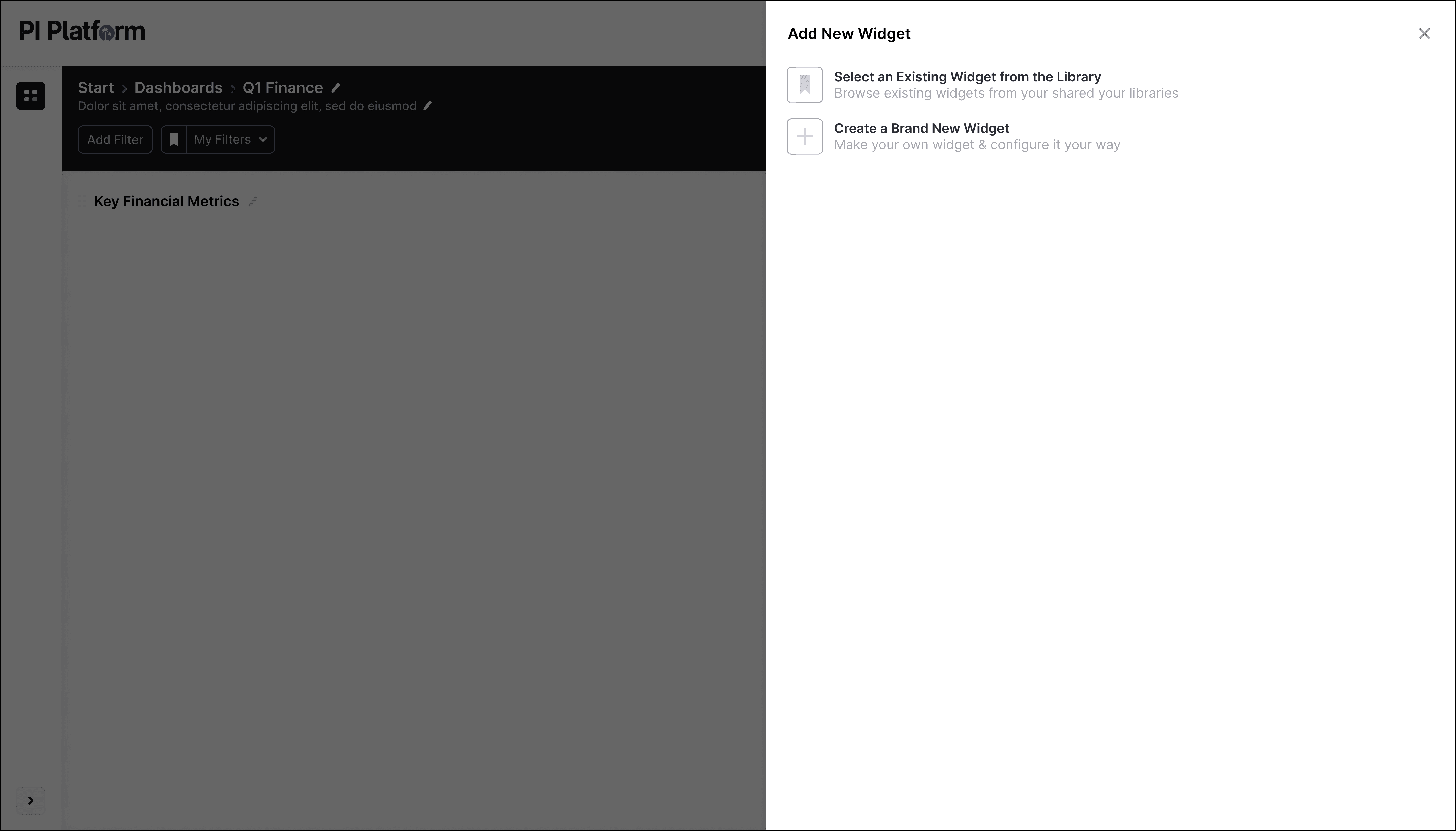
The goal was to make it effortless for a new user to go from zero → structured dashboard
Key Design Decisions:
The goal was to make it effortless for a new user to go from zero → structured dashboard.
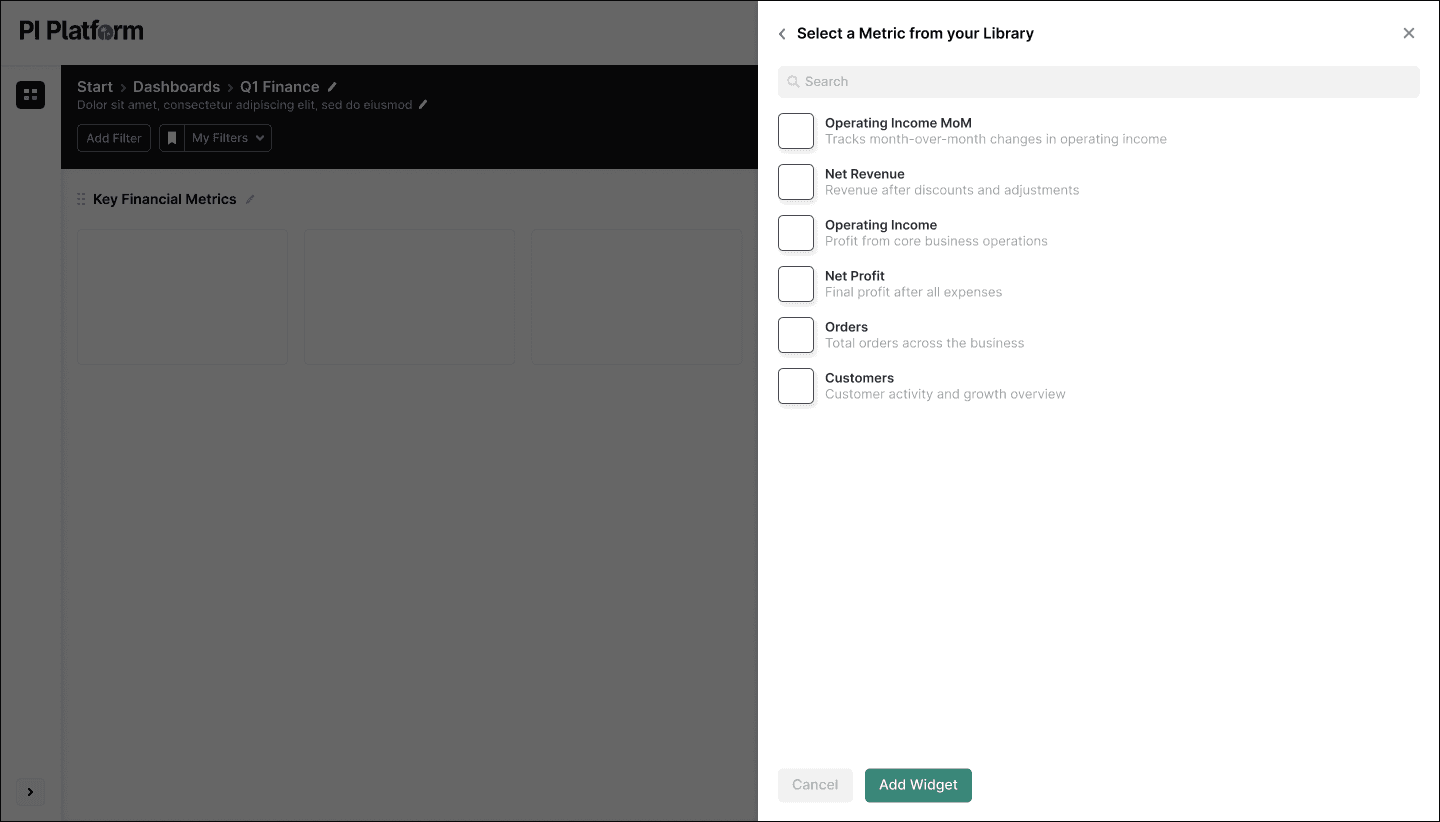
Removed empty-state friction with a guided creation flow
Removed empty-state friction with a guided creation flow
Introduced a clear entry point: “Create Dashboard”
Introduced a clear entry point: “Create Dashboard”
Allowed users to immediately begin adding value (widgets)
Allowed users to immediately begin adding value (widgets)
UX Principles Applied:
Progressive disclosure
Progressive disclosure
Only show complexity when needed
Only show complexity when needed
Only show complexity when needed
Immediate value creation
Immediate value creation
Users can add widgets from the start
Users can add widgets from the start
Users can add widgets from the start
Clarity over flexibility
Clarity over flexibility
Reduce decision fatigue for first-time users
Reduce decision fatigue for first-time users
Reduce decision fatigue for first-time users
As a result, users can now:
Create dashboards in seconds
Start with meaningful data immediately
Avoid the 'Blank Canvas Problem'
As a result, users can now:
Create dashboards in seconds
Start with meaningful data immediately
Avoid the 'Blank Canvas Problem'
Widget-Based System
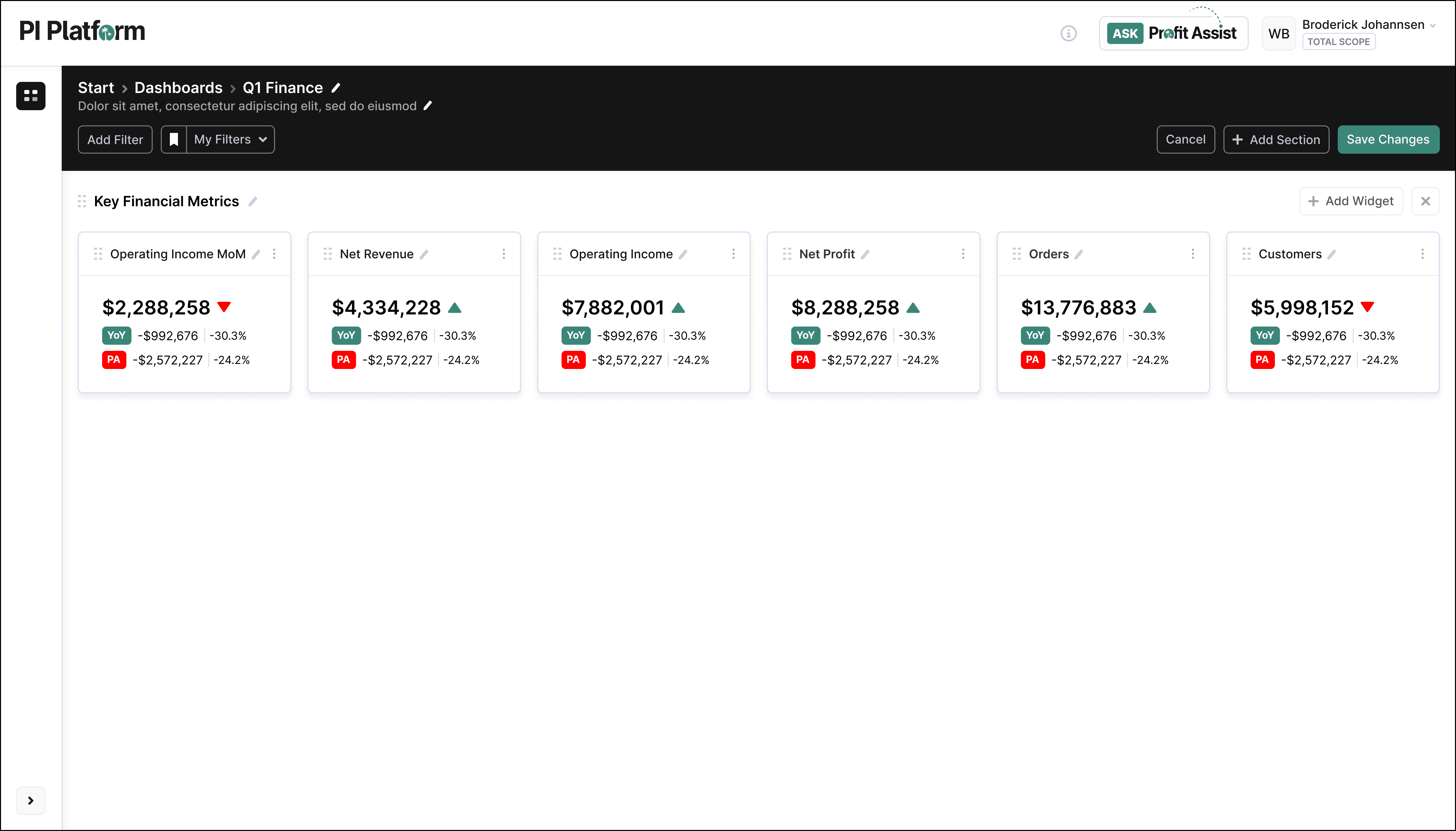
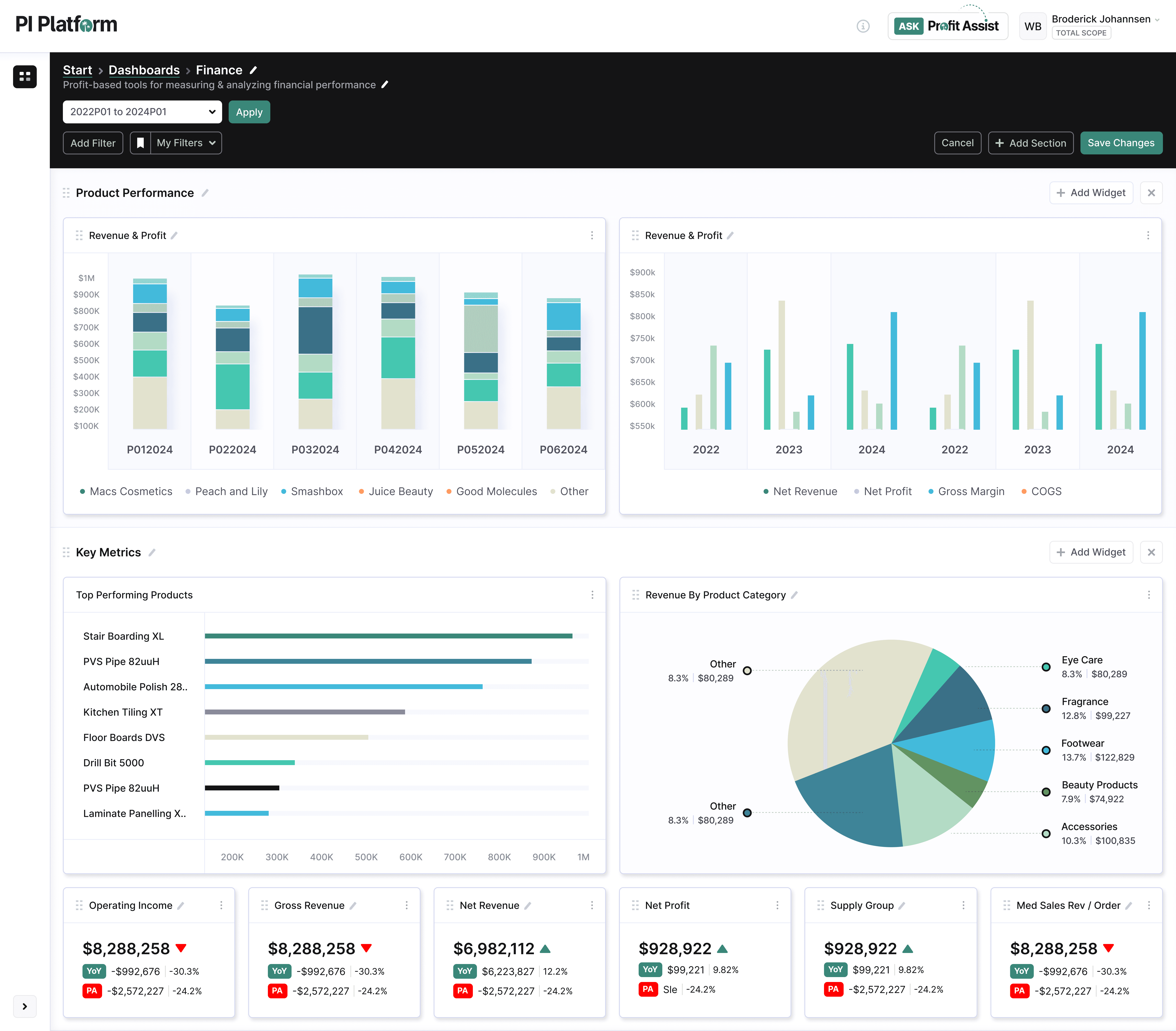
Dashboards are built using modular widgets. Each widget represents a specific analytical view:
Dashboards are built using modular widgets. Each widget represents a specific analytical view:
Profit by customer
Profit by customer
Product performance
Product performance
Cost breakdown
Cost breakdown
Operational metrics
Operational metrics
Instead of forcing predefined dashboards, we allow users to:
Instead of forcing predefined dashboards, we allow users to:
Build views around their specific questions
Build views around their specific questions
Combine financial + operational data
Combine financial + operational data
Iterate without rebuilding
Iterate without rebuilding
Design Approach:
Design Approach:
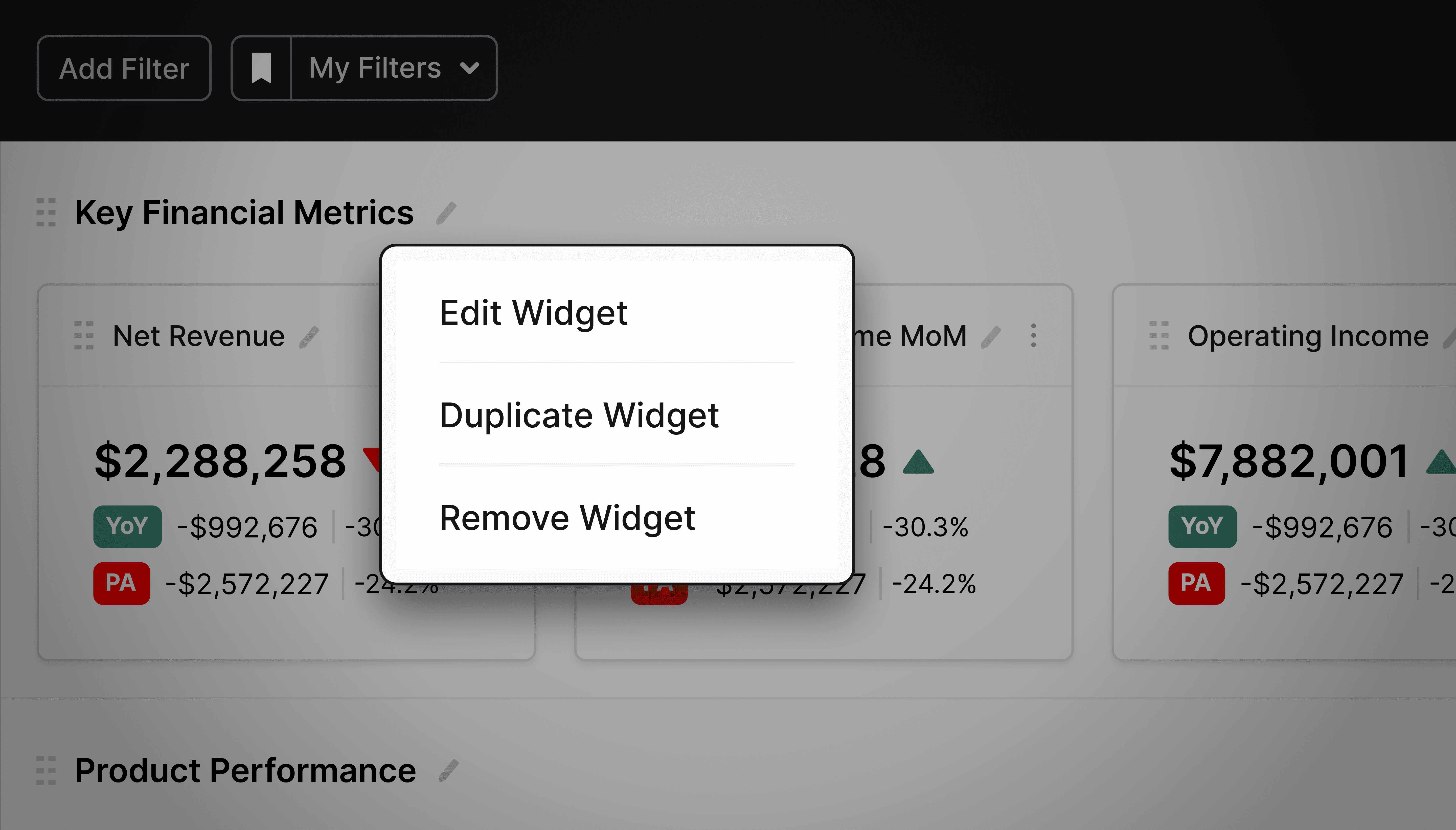
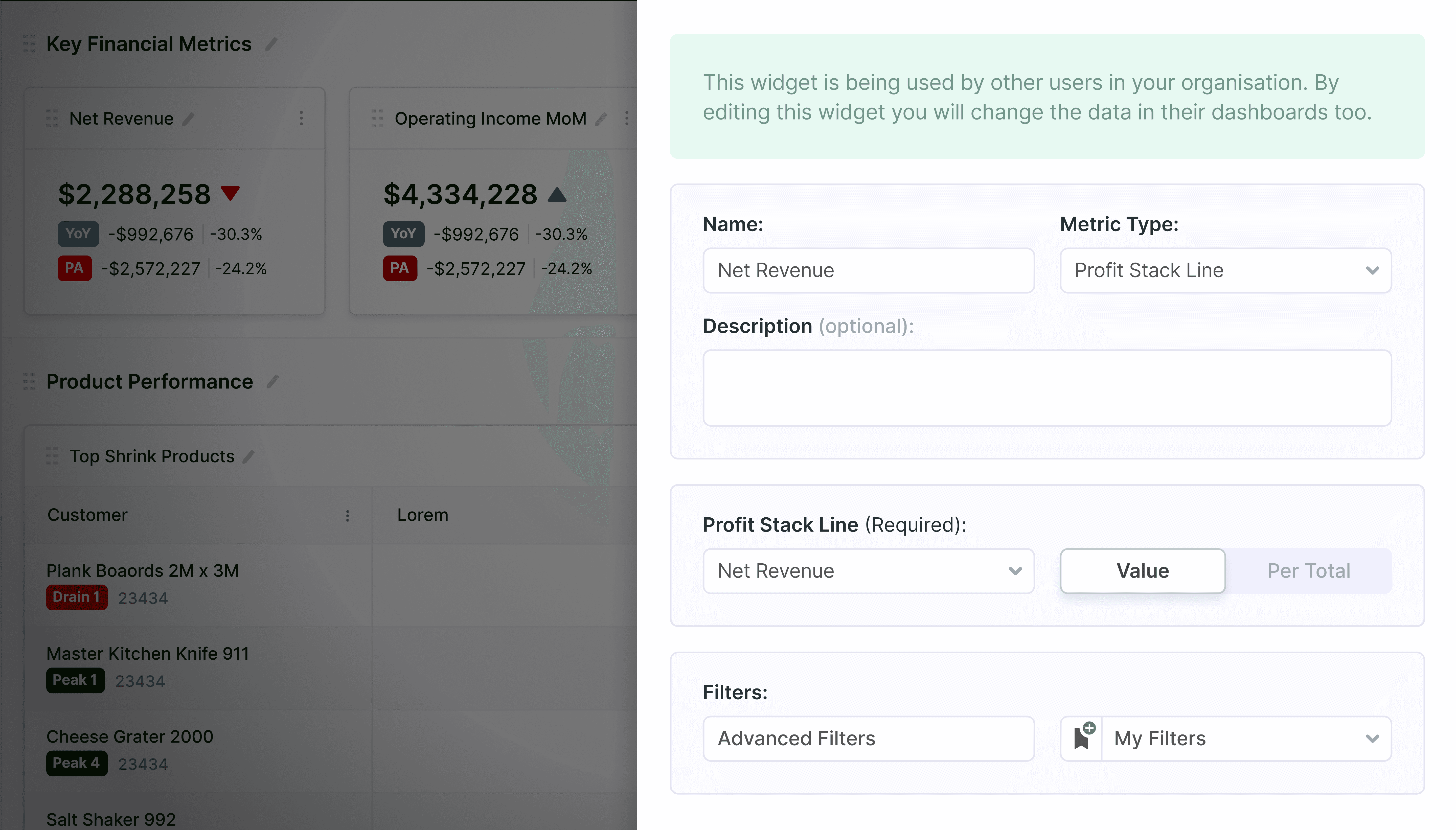
Clear widget selection patterns
Clear widget selection patterns
Consistent configuration UI
Consistent configuration UI
Reusable interaction models across all chart types
Reusable interaction models across all chart types
Reordering & Layout Control
Reordering & Layout Control
Users needed flexibility, but most tools make layout management:
Clunky
Rigid
Complex
We introduced intuitive drag-and-drop reordering, where users can:
Move widgets freely
Prioritize insights visually
Structure dashboards based on importance
Users needed flexibility, but most tools make layout management:
Clunky
Rigid
Complex
We introduced intuitive drag-and-drop reordering, where users can:
Move widgets freely
Prioritize insights visually
Structure dashboards based on importance
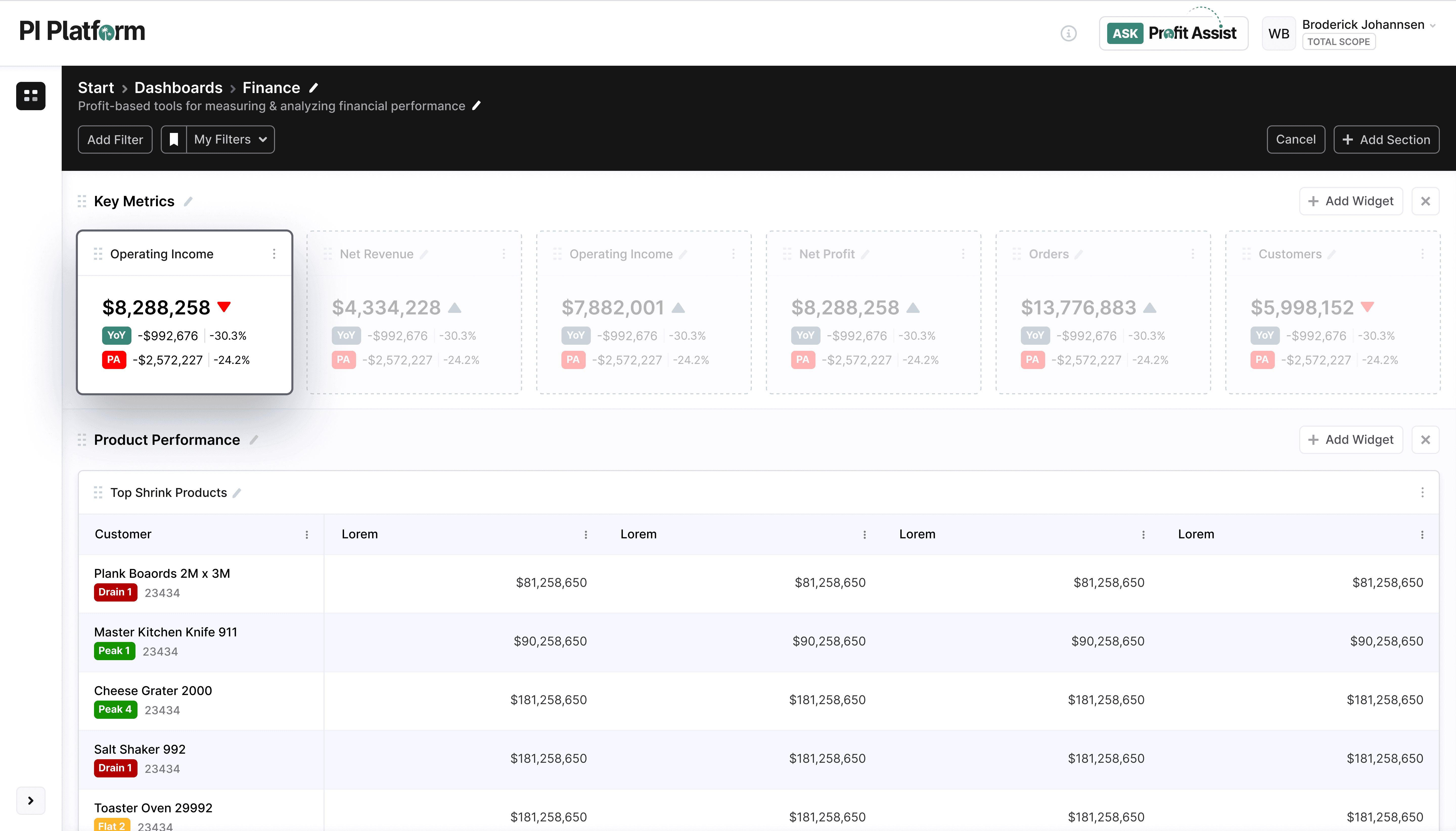
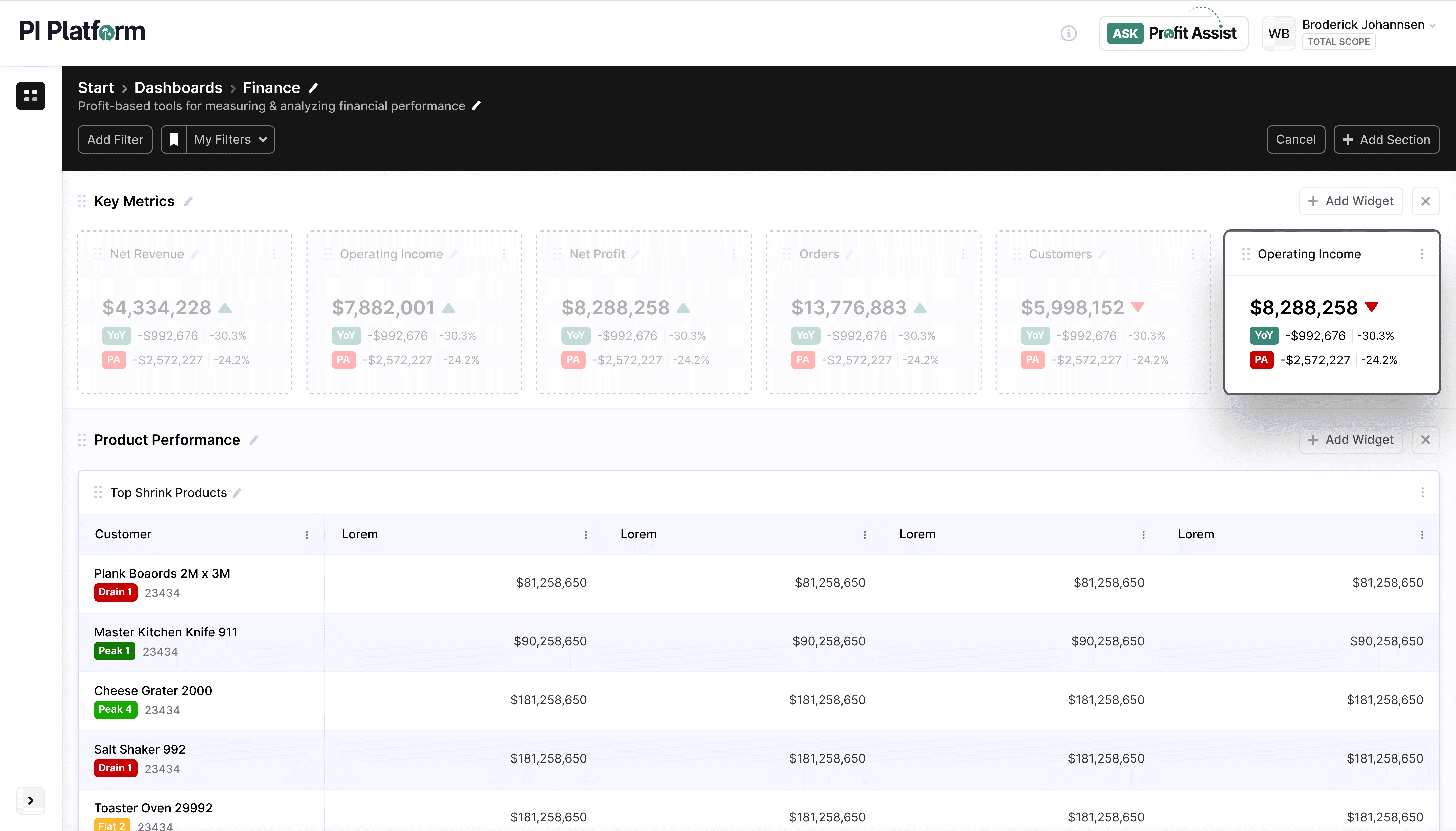
Key Design Decisions:
Direct manipulation (no settings panels)
Real-time feedback while moving elements
Layout stability to avoid accidental disruption
As a result, Dashboards become:
Personal
Adaptable
Structured around how users think
Key Design Decisions:
Direct manipulation (no settings panels)
Real-time feedback while moving elements
Layout stability to avoid accidental disruption
As a result, Dashboards become:
Personal
Adaptable
Structured around how users think
Multiple Dashboards Provide
Ownership & Visibility
Multiple Dashboards ProvideOwnership & Visibility
As usage grows, dashboards become:
Hard to find
Difficult to manage
Confusing across teams
The solution was the introduction of a dashboard management system:
As usage grows, dashboards become:
Hard to find
Difficult to manage
Confusing across teams
The solution was the introduction of a dashboard management system:
My Dashboards → Personal views
My Dashboards → Personal views
Shared With Me → Collaborative access
Shared With Me → Collaborative access
This matters because it:
This matters because it:
Clarifies ownership
Supports team workflows
Prevents duplication and confusion
Clarifies ownership
Supports team workflows
Prevents duplication and confusion
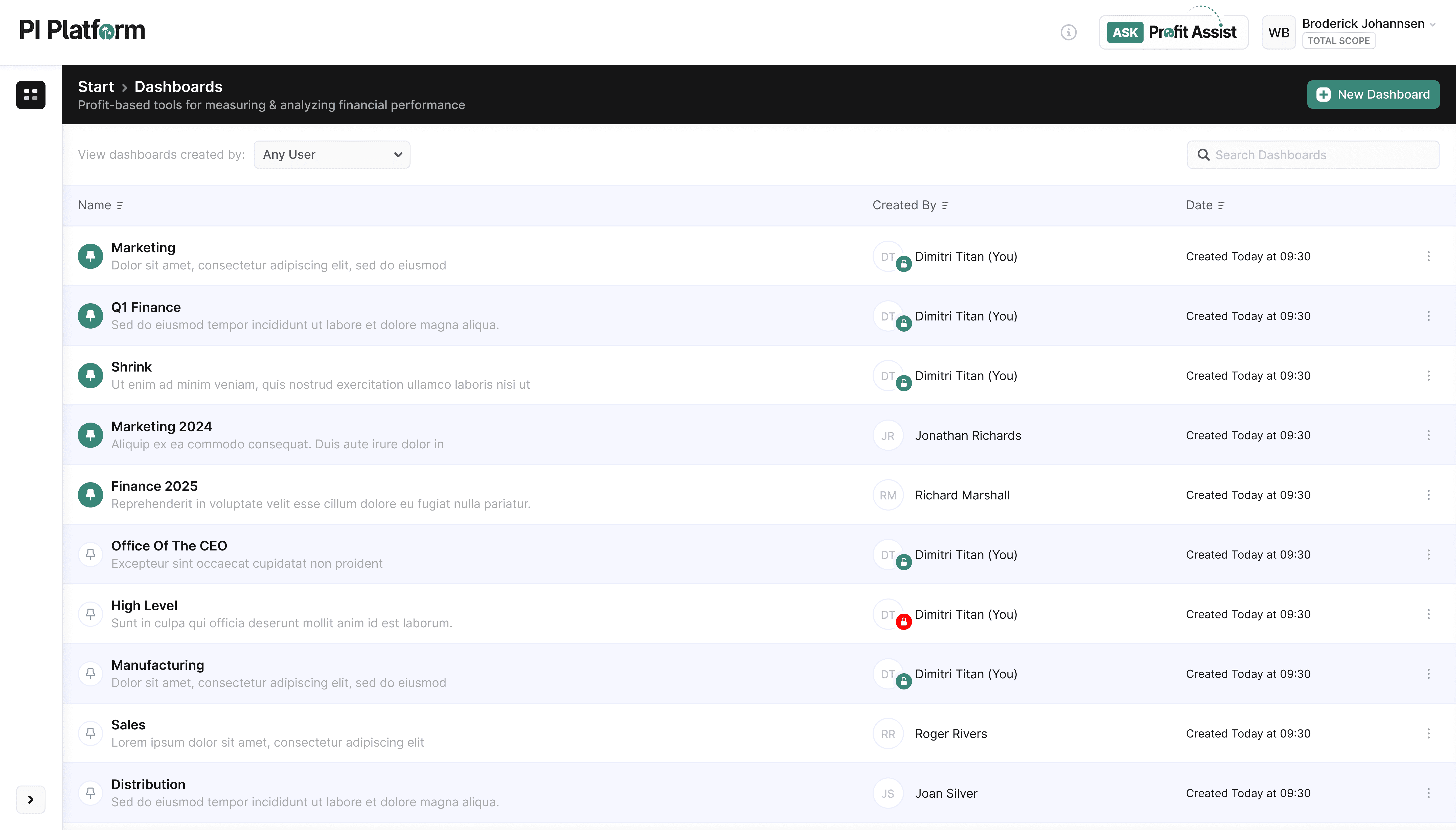
By using the design principle: Separation without fragmentation, users now understand:
What they own
What is shared
Where to find critical insights
By using the design principle: Separation without fragmentation, users now understand:
Collaboration & Sharing
Collaboration & Sharing
Dashboards are not just for viewing — they are for alignment.
Users can:
Share dashboards with team members
Collaborate on insights
Work from a single source of truth
The Impact:
Reduces back-and-forth between finance and business teams
Eliminates duplicated analysis
Aligns teams around consistent metrics
Dashboards are not just for viewing — they are for alignment.
Creating Advanced Visualizations
The problem finance leaders face with advanced charts are often:
Hard to configure
Hidden behind complexity
Inconsistent across tools
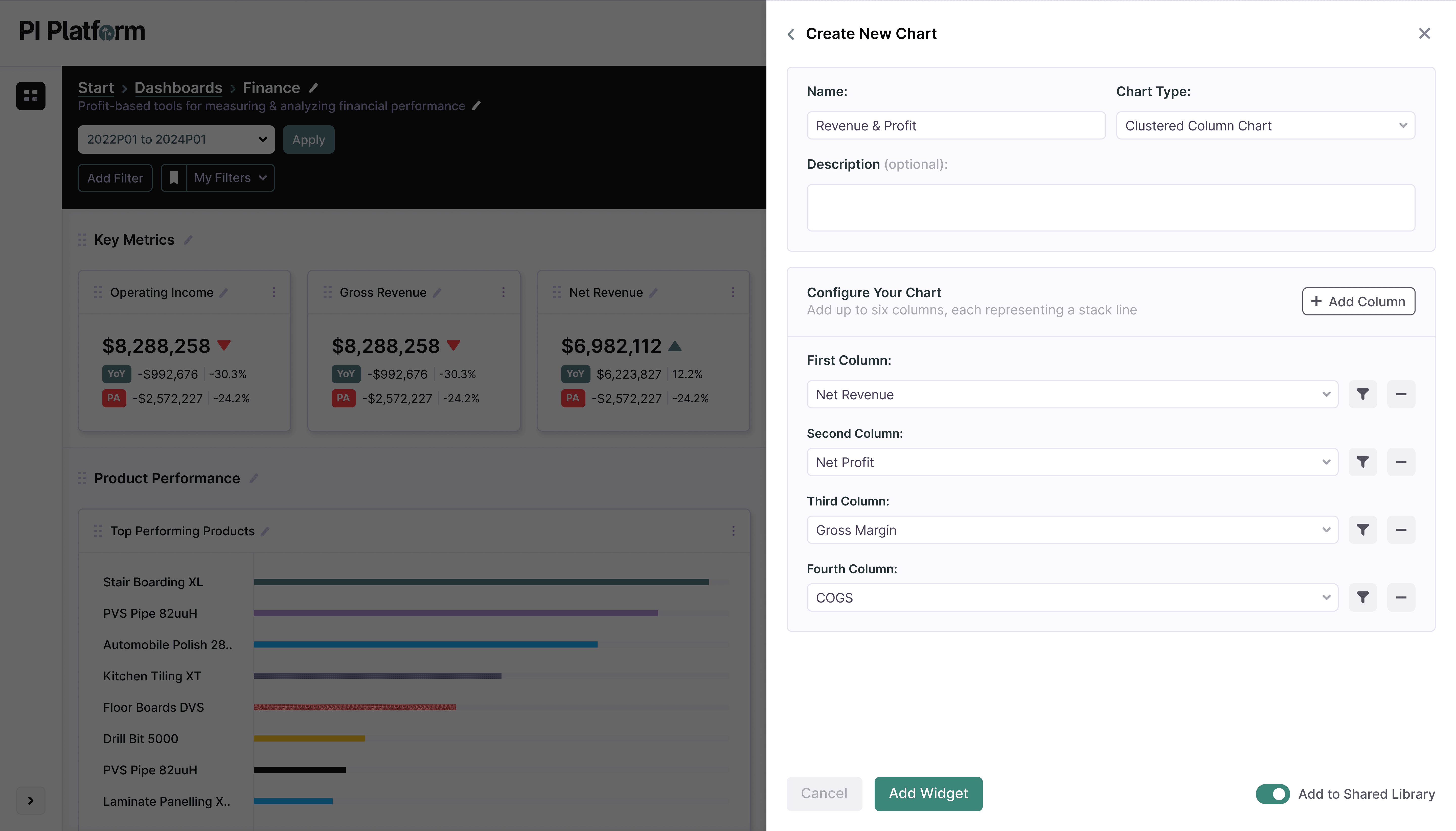
We designed a structured chart creation flow that simplifies complexity where users can:
Select Chart Type
Define dimensions
Configure segmentation (e.g., stacked values)
The problem finance leaders face with advanced charts are often:
Hard to configure
Hidden behind complexity
Inconsistent across tools
We designed a structured chart creation flow that simplifies complexity where users can:
Select Chart Type
Define dimensions
Configure segmentation (e.g., stacked values)
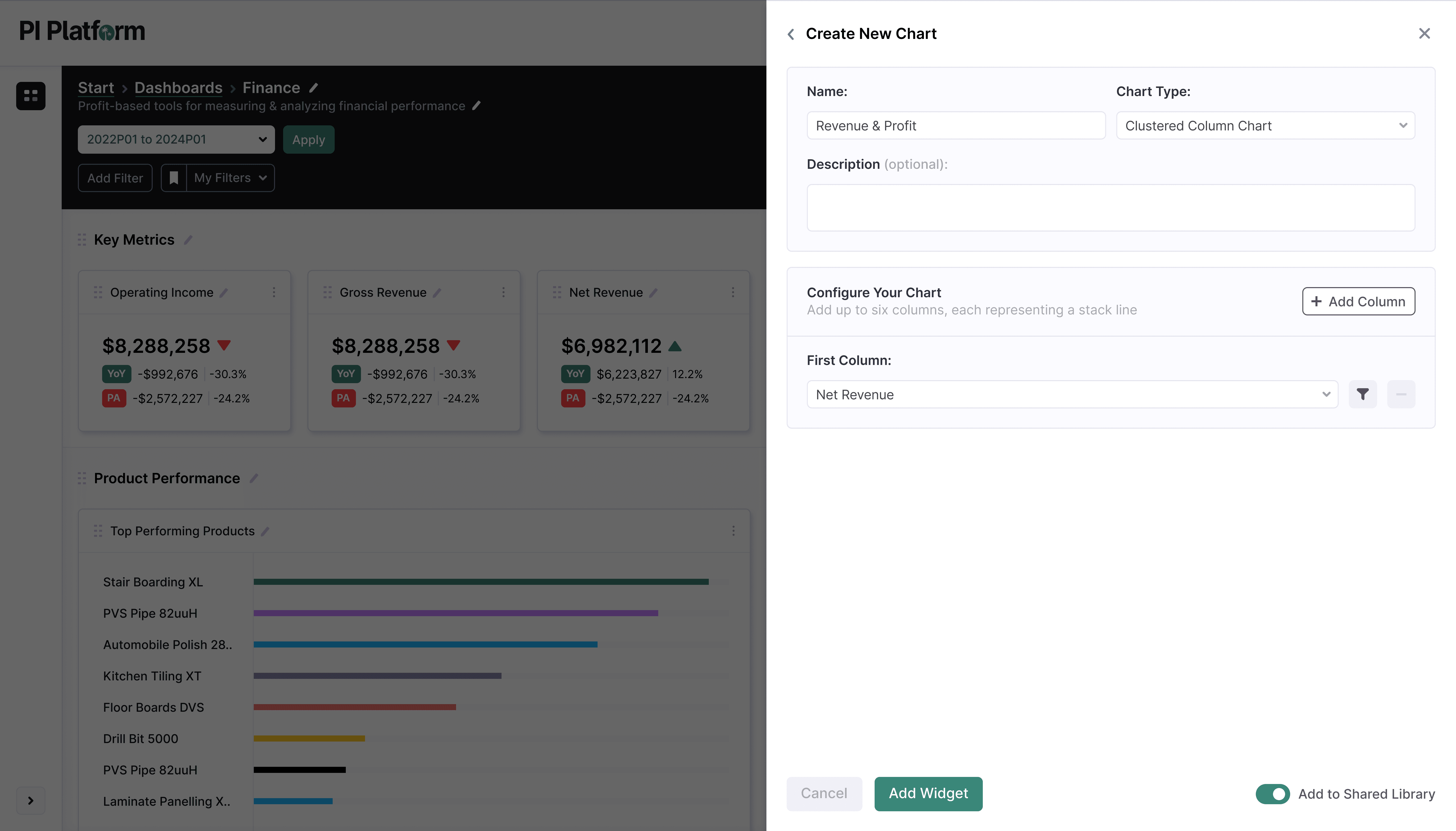
The focus was to make complex analysis:
Accessible
Understandable
Repeatable
The result was that without needing technical expertise, users can create:
Multi-dimensional views
Comparative analysis
Deeper profitability insights
The focus was to make complex analysis:
Accessible
Understandable
Repeatable
The result was that without needing technical expertise, users can create:
Multi-dimensional views
Comparative analysis
Deeper profitability insights
Scalable Chart System
Scalable Chart System
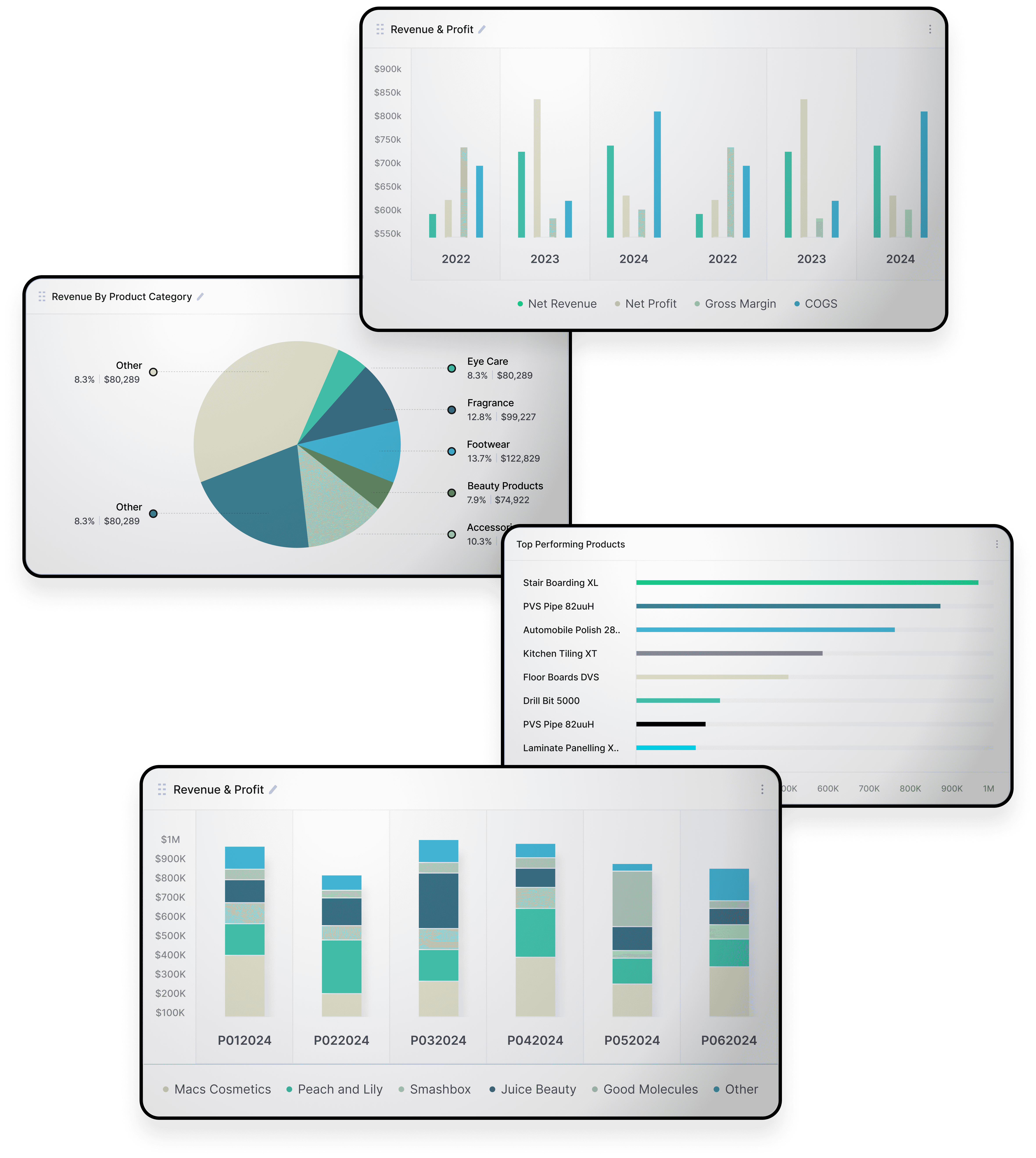
To support different analytical needs, we designed a flexible chart system including:
Distribution Views
Comparative Visuals
Stacked Bar Charts
Bar Charts
Line Charts
Pie Charts
To support different analytical needs, we designeda flexible chart system including:
The Design Challenge was to Balance:
Flexibility
Consistency
Usability
Approach:
Reusable Components across chart types
Unified configuration patters
Predictable Interactions
The Result is a System that Scales Across:
Different users(CFO → analyst → operator)
Different data types
Different Use cases
The Design Challenge was to Balance:
Flexibility
Consistency
Usability
Approach:
Reusable Components across chart types
Unified configuration patters
Predictable Interactions
The Result is a System that Scales Across:
Different users(CFO → analyst → operator)
Different data types
Different Use cases
The Work Completed
Transformed Dashboards
The Work Completed
Transformed Dashboards
Business Impact:
Users can answer their own questions
Dashboards reflect real business thinking
Insight becomes actionable
User Impact:
Faster insight generation
Reduced dependency on analysts
Increased adoption across teams
Business Impact:
Users can answer their own questions
Dashboards reflect real business thinking
Insight becomes actionable
User Impact:
Faster insight generation
Reduced dependency on analysts
Increased adoption across teams
The real challenge wasn’t building dashboards
The real challenge wasn’t building dashboards
It was designing a system that:
It was designing a system that:
Reflects how teams think about profit
Reflects how teams think about profit
Adapts to changing business questions
Adapts to changing business questions
Turns insight into something teams can act on
Turns insight into something teams can act on
My Role & Contribution
My Role & Contribution
As Design & UX Lead for this project, I was responsible for:
As Design & UX Lead for this project, I was responsible for:
Led end-to-end UX design
Led end-to-end UX design
Designed scalable visualization system
Designed scalable visualization system
Elevated usability of existing capabilities
Elevated usability of existing capabilities
Defined interaction models widgets & dashboards
Defined interaction models widgets & dashboards